-
8.[Andorid]ConstraintLayout (Margins)Android 2019. 8. 13. 12:03반응형
ConstraintLayout에서는 제약조건이 걸려있는 View와의 간격을 조절해 여백을 만들 수 있습니다.
android:layout_marginStart 시작점과 연결된 View와의 간격을 조절한다. android:layout_marginEnd 끝점과 연결된 View와의 간격을 조절한다. android:layout_marginLeft 왼쪽과 연결된 View와의 간격을 조절한다. android:layout_marginTop 위쪽과 연결된 View와의 간격을 조절한다. android:layout_marginRight 오른쪽과 연결된 View와의 간격을 조절한다. android:layout_marginBottom 아래쪽과 연결된 View와의 간격을 조절한다. 사용방법은 다른 종류의 Layout에서 사용하던 것과 동일합니다.
<TextView
        android:id="@+id/tv_text1"
        android:layout_width="wrap_content"
        android:layout_height="wrap_content"
        android:background="#0F0"
        android:text="text1"
        android:textSize="24sp"
        app:layout_constraintStart_toStartOf="parent"
        app:layout_constraintTop_toTopOf="parent" />

    <TextView
        android:id="@+id/tv_text2"
        android:layout_width="wrap_content"
        android:layout_height="wrap_content"
        android:background="#F0F"
        android:text="text2"
        android:layout_marginStart="20dp"
        android:textSize="24sp"
        app:layout_constraintStart_toEndOf="@id/tv_text1"
        app:layout_constraintTop_toTopOf="parent" />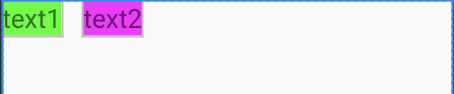
Margin 적용후 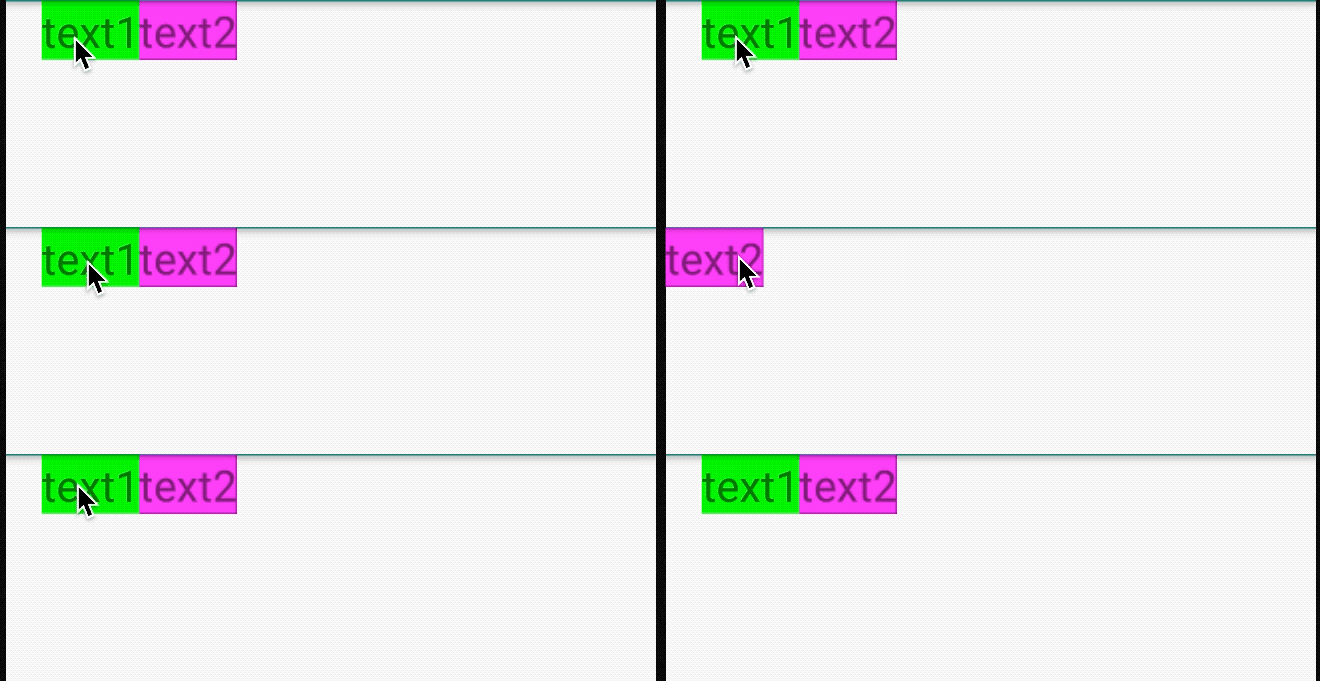
위에 처럼 클릭하거나 했을 때 View를 사라지게 만들어야 할 때가 있습니다. 하지만 원래는 Margin이 적용된 상태였는데
사라지면서 Margin도 같이 사라지는 것을 볼 수 있습니다.
이럴 때 사용되는 속성이 goneMargin이라는 속성입니다.
   <TextView
        android:id="@+id/tv_text1"
        android:layout_width="wrap_content"
        android:layout_height="wrap_content"
        android:layout_marginStart="20dp"
        android:background="#0F0"
        android:text="text1"
        android:visibility="visible"
        android:textSize="24sp"
        app:layout_constraintStart_toStartOf="parent"
        app:layout_constraintTop_toTopOf="parent" />

    <TextView
        android:id="@+id/tv_text2"
        android:layout_width="wrap_content"
        android:layout_height="wrap_content"
        android:background="#F0F"
        android:text="text2"
        android:textSize="24sp"
        app:layout_goneMarginStart="20dp"
        app:layout_constraintStart_toEndOf="@id/tv_text1"
        app:layout_constraintTop_toTopOf="parent" />
위에 코드처럼 분홍색 TextView에 goneMarginStart를 적용해줍니다.
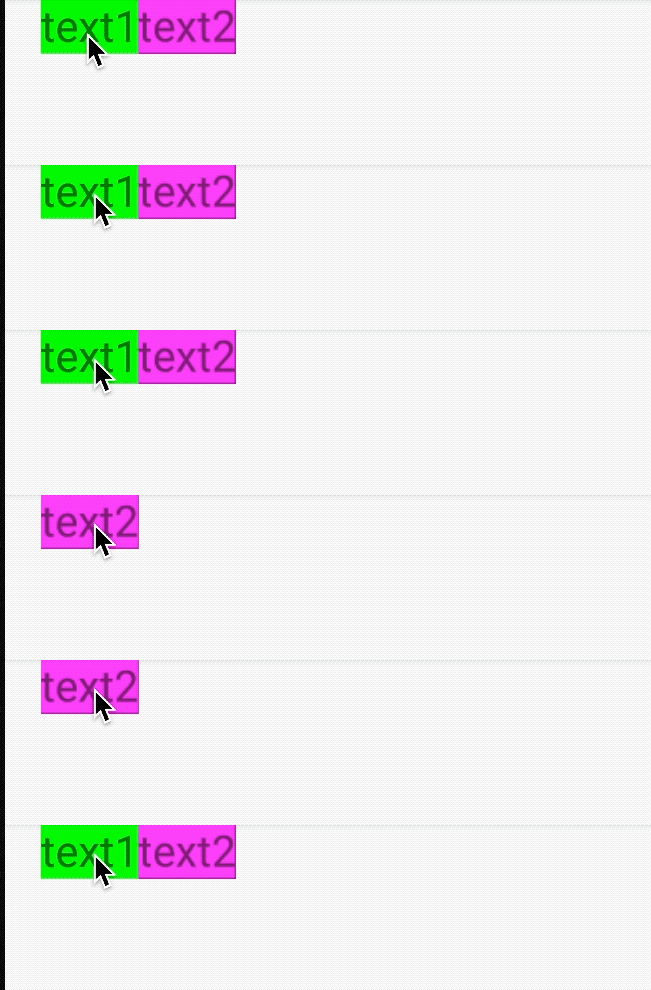
초록색 Textview가 보일 때는 margin이 적용되어 있지 않지만 사라지고 난 뒤에는
margin이 적용되는 것을 볼 수 있습니다.
goneMargin은 제약조건이 걸려있는 지정된 View의 visiblity 속성 값이 GONE이 돼서 사라지게 되면 적용되는 속성입니다.
사라진 뒤에도 여백을 주고 싶을 때 유용하게 쓰입니다.
반응형'Android' 카테고리의 다른 글
10.[Andorid]ConstraintLayout (Chains) (0) 2019.08.14 9.[Andorid]ConstraintLayout (Circular positioning) (0) 2019.08.14 7.[Andorid]ConstraintLayout 개념 (0) 2019.08.12 6.[Android]EditText ( hint / inputType ) (0) 2019.08.08 5.[Android]EditView ( imeOptions ) (0) 2019.08.07